

Creating a 200+ page website in Wix Studio naturally brings a few challenges to light. Thinking as a full-stack designer, I find myself analyzing the platform itself, realizing where cleaner, more robust engineering in the software directly impacts usability for us, the designers building on it.
Wix Studio has come a long way, but there are areas where the platform could be significantly improved. Here are a few thoughts and bugs I stumbled across along the way.
Automatic URL Slugs
In the Wix Studio CMS, a collection entry’s title is automatically used to generate its URL slug.
In theory, this is great. In practice, the slug generator misses crucial sanitization rules, leaving dirty characters (for example: plus signs, commas, and apostrophes) in your URLs. The system should automatically strip out these marks to remain in best practices for URL naming.
1. Punctuation isn’t stripped: Apostrophes, commas, and plus signs get directly converted into the slug instead of being cleaned out:
idletyme-brewing-co’s-beer-on-tapvermont-pumpkin-chuckin’-festivalblooms,-bites-and-a-bottle
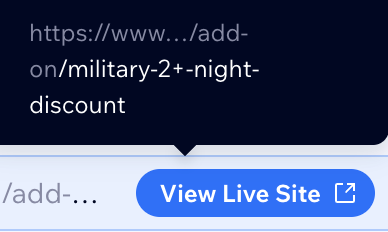
2. Forward slashes turn into dangling dashes: A title like “Deep Tissue / Sports Massage” generates:
deep-tissue-/-sports-massage
3. URL Encodings (%20 & %26): Most annoyingly, space characters (%20) and ampersands (%26) frequently slip through the slug generator instead of being stripped or replaced with hyphens, making lots of urls have %20’s in their format!
/add-on/seasonal-flowers-%26-bouquets
The Irony
If you manually edit a slug in the collection dialog and try to type an apostrophe or comma, Wix Studio throws a validation error saying: “Use only letters, numbers or dashes.”
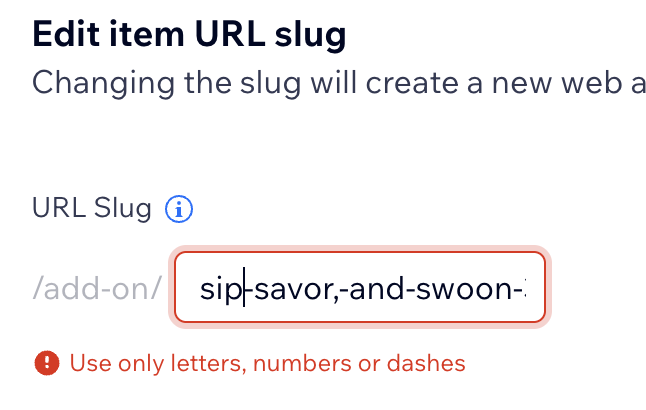
This means Wix knows what valid URLs look like, but the constraint is just missing from the auto-generation hook in the CMS backend.
The Silver Lining
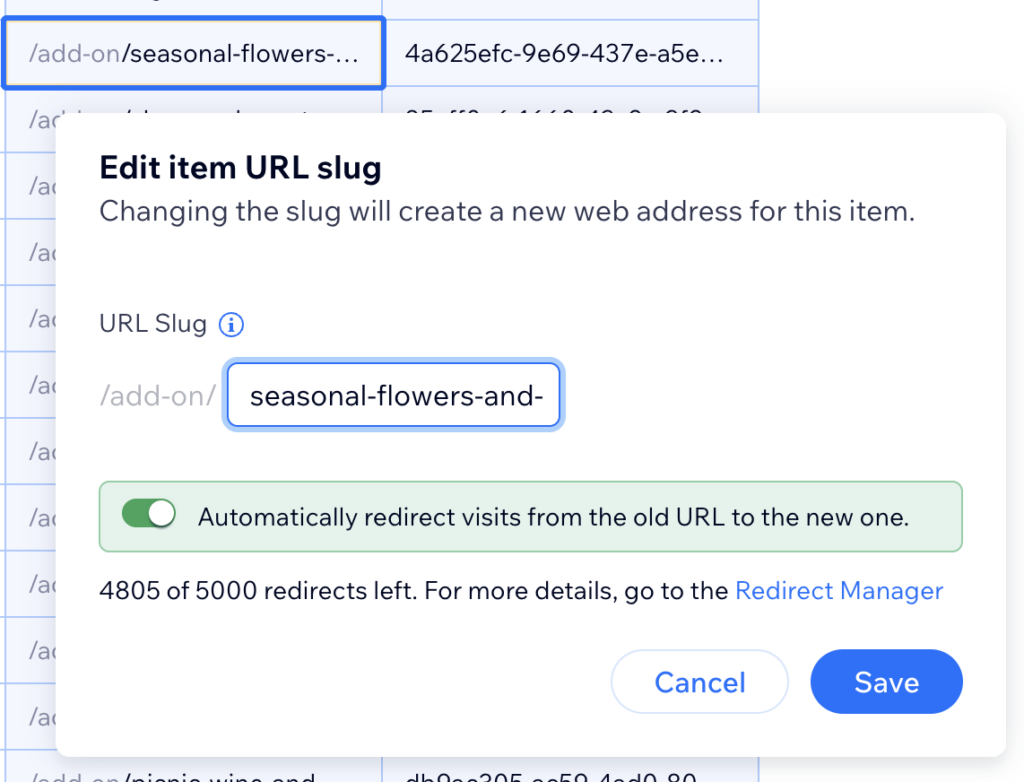
If you catch these bad slugs and update them manually in the CMS, Wix automatically sets up a 301 redirect from the old URL to the new one (just make sure the “Automatically redirect visits from the old URL to the new one” toggle is enabled).
That’s a huge win for SEO safety, even if fixing them one by one is tedious.
What does this mean to the designer working on a Wix Studio website?
Double-check your generated URLS in the CMS. You want to follow the best naming conventions.
What does this mean for the software engineers of Wix Studio?
There’s room for improvement. 🙂
2. Media Library Alt Tags vs. Entry-Level Metadata
Coming from ecosystems like WordPress, asset management in Wix Studio can feel slightly counterintuitive when it comes to SEO and accessibility.
In WordPress, when you upload an image to the Media Library and set its alt text, caption, and title, those attributes attach directly to the image file itself. Everywhere you reuse that image across the site, its alt text automatically follows.
In Wix Studio, alt text is often managed at the entry or page level, rather than at the media library asset level. If you use the same image in multiple blog posts, dynamic items, or page sections, you frequently have to manually re-enter alt text for each instance. On a 200+ page build, this extra step adds significant overhead and leaves a large margin for human error or missed accessibility tags.
The Bottom Line
If you’re tackling big builds in Wix Studio, don’t let these little bugs slip past your QA process. Clean up those slugs, double-check your alt text, and keep building!
Got your own Wix Studio tips or workaround hacks? Share them in the comments so we can save each other some time!


