

Full Stack Marketing: Adding the Data Layer to Graphic Design
As a designer or marketer, you’ve heard it before: “Can we just put a QR code on this?”
Whether it’s a flyer for a local cafe or a high-end brochure for a real estate client, the temptation is to grab the URL, throw it into a generator, and call it a day. Stop.
If you do that, every person who scans that code will appear in Google Analytics as “Direct” traffic. You won’t know whether your flyer worked, whether the billboard was worth the money, or whether the client’s “innovative” business card actually drove a single lead.
In the digital world, we don’t “throw things out there and see.” We throw them out there and track them.
Part 1: For the Pros (Marketers & Designers)
The “Integrated” Way to Handle Clients
When a client asks for a QR code, they aren’t just asking for a graphic; they are asking for a bridge between the physical and digital worlds. To build that bridge properly, you need UTM Parameters.
1. Add Params First
Before you touch a QR generator, “decorate” your link. Adding UTM Parameters categorizes the QR code’s traffic so Google Analytics 4 (GA4) knows exactly what happened.
- Source: Where is it? (e.g.,
flyer,truck_wrap,business_card) - Medium: How is it delivered? (Always use
qr_codeorprint) - Campaign: What is the specific push? (e.g.,
summer_promo_2026)
2. Use a Shortener (The Secret to “Scannability”)
A URL with UTMs is long and messy. If you put a long URL into a QR generator, the code becomes dense and “pixelated,” making it much harder for older phones to scan.
- The Workflow: Long URL + UTMs — paste into Bitly/ShortURL — paste into QR Generator.
- The Result: A clean, simple QR code that scans instantly.
If your campaign involves a digital download, check out my guide on making QR codes for PDFs hosted on your WordPress website to ensure your file is optimized for those mobile scans.
Part 2: For the Business Owner
Making a Flyer? Don’t Just “Generate a QR Code”
If you are DIY-ing your marketing materials, you are likely spending hard-earned money on printing. Tracking your QR code is the only way to calculate your ROI (Return on Investment).
The 3-Step Tracking Guide:
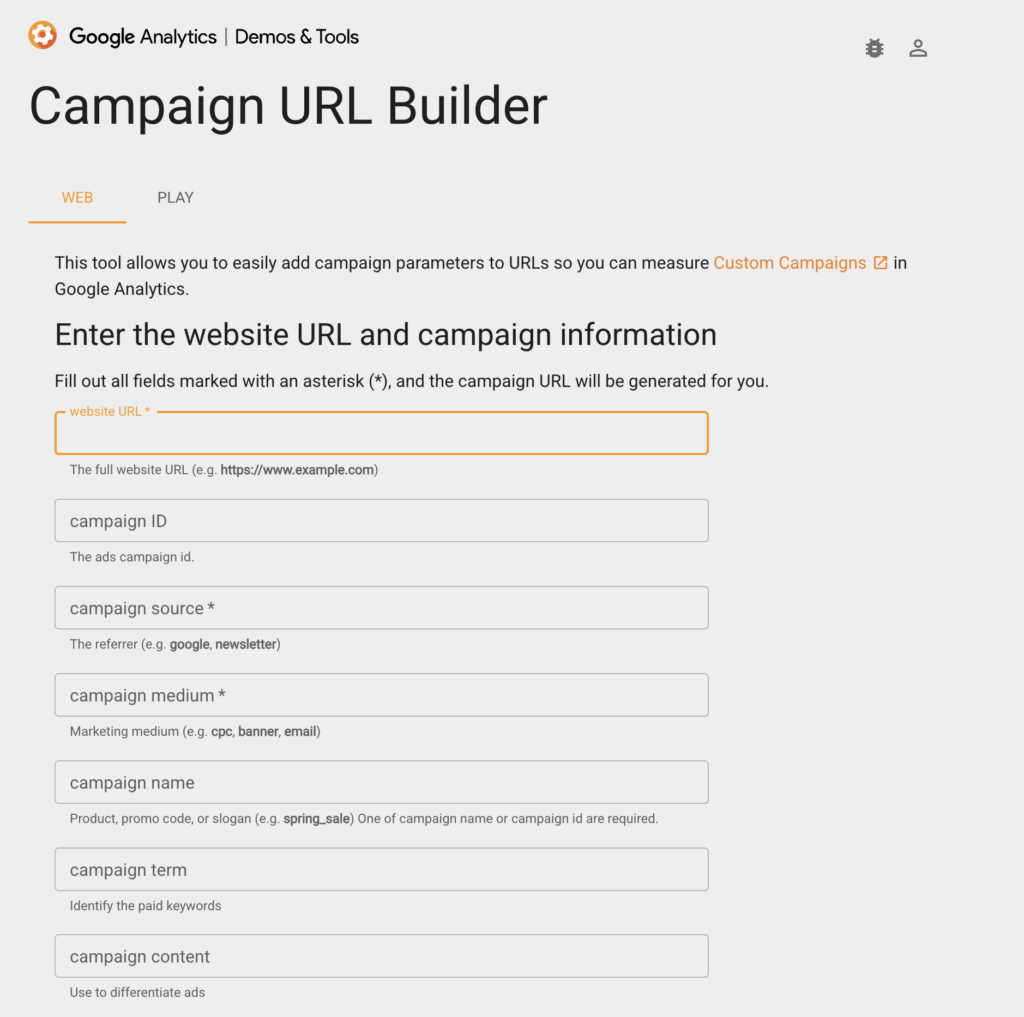
- Build the Link: Make it manually or use the Google Campaign URL Builder to add your info.
- Shorten It: Paste that long link into a URL shortener (Bitly, TinyURL, etc.).
- Generate: Create your QR code using the shortened link.
- Scan and Test: Check that your QR code works
Pro Tip: Never print 1,000 copies of anything until you scan the proof with your own phone. Make sure it lands on the right page!
Part 3: Reviewing the Success
Where does the data go?
The beauty of the digital world is the “Receipt.“ Here is how you check if your campaign is actually working in Google Analytics 4:
- Navigate to Reports > Acquisition > Traffic Acquisition.
- Change the primary dimension to Session source/medium.
- Look for your tags (e.g.,
flyer / qr_code).
Why do we do this…
If you see that your “Sidewalk Sign” QR code got 200 scans but your “Mail Slot” flyer got 2, you now know exactly where to spend your marketing budget next month. That is the power of integrated marketing: Data-driven decisions, not guesses.
Tracking scans to your homepage is a great start, but using a QR code to drive people directly to your review page is a game-changer for local SEO. If you’re wondering if the effort is worth it, read more on whether Google Customer Reviews really matter for your bottom line.
Don’t Share Naked Links
In a world where every click is counted, there’s no need for leaving your print traffic in the dark. Whether you’re a business owner or a seasoned marketer, make it a rule: No QR code leaves the building without a UTM. Build it, track it, and let the data do the talking.
The “Full Stack” Philosophy
Bottom Line: Close the Loop
As designers and marketers, our job doesn’t end until the file is sent to the printer or the graphic is delivered. Moving from “designer to full stack” means taking responsibility for the data that follows the design. By adding UTM parameters to your QR codes, you aren’t just sharing a graphic—you’re driving a measurable business outcome. Stop guessing, start tracking, and show your clients exactly how much value you’re bringing to the table.

