

Absolutely! Yes, Google customer reviews linked in your GMB (Google My Business profile) are critical to your local company’s online credibility.
Tips for the best Google Reviews
The Integrated Approach: Request reviews via links and QR codes. But remember: track the scan.
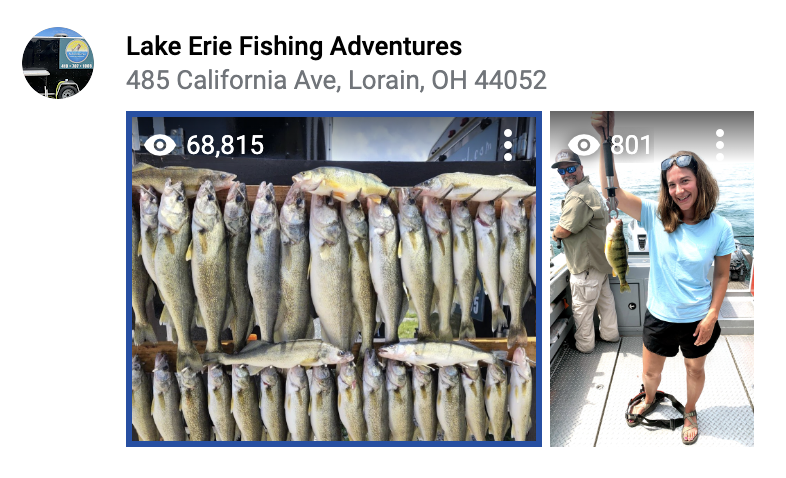
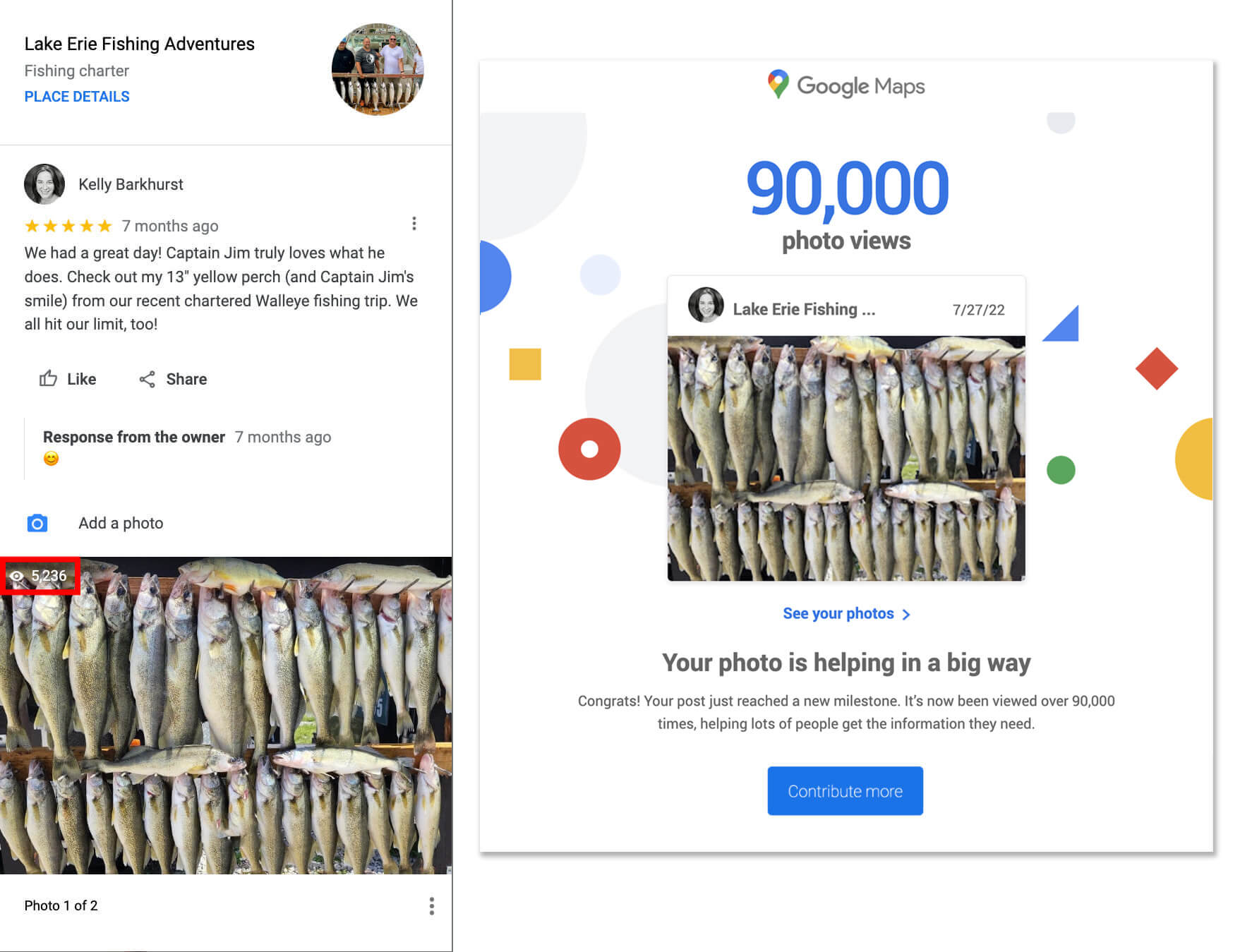
Photos are Digital Assets: A customer review with an image helps in a big way. I shared a photo from a fishing trip on Lake Erie; it was viewed over 90,000 times. That is free, high-intent advertising for that business. Encourage your clients to snap a photo!
Keywords Matter: When customers mention your specific services (like “bathroom remodel”), Google uses that text to rank you in local searches. You aren’t just ranking for your name; you’re ranking for the work your customers say you do.
A customer review with an image can “help in a big way!”
For example, I participated in a chartered fishing trip on Lake Erie and had a fabulous day and a large catch! I left the company a review and included pictures from my outing. As a Google user, Google lets me know the impact I’ve made through my image submission. My photo submission was viewed over 5,000 times in just seven months and over 90,000 times since 2022. My review is an important digital asset to this business.
Yes, Google Photos and Reviews matter tremendously!
Customer reviews mentioning your services help you rank for that service
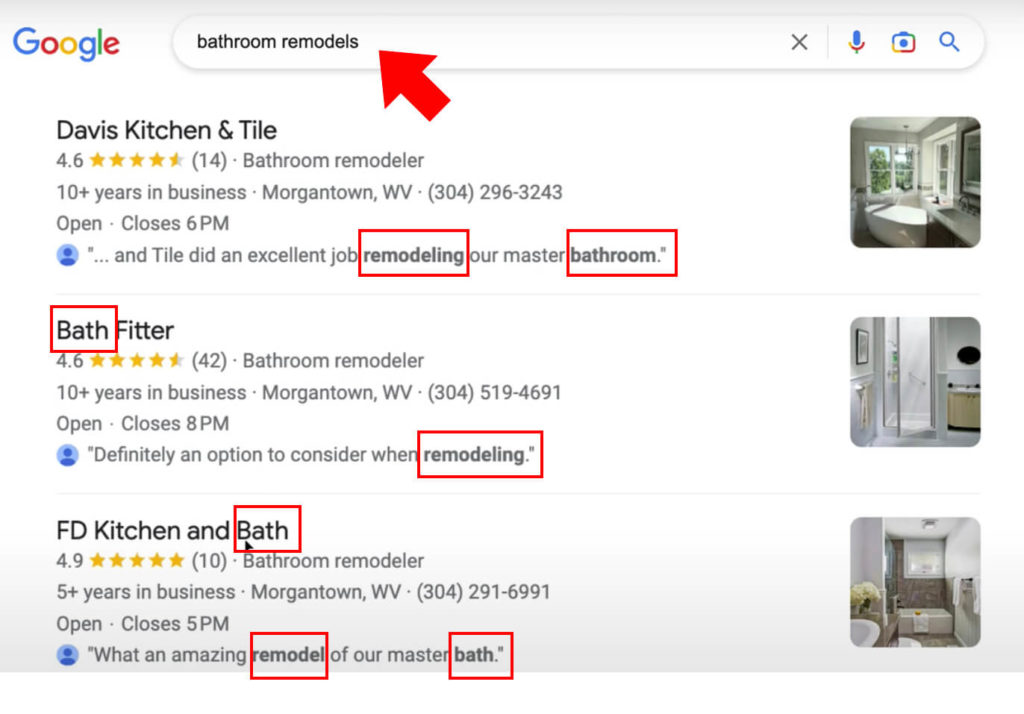
In this search query, I typed “bathroom remodels.” Google used the information from where I was physically searching to show me three businesses from Google Local Business profiles in my area that have the words “bath,” “bathroom,” and remodel/remodeling as part of their customer reviews.
Note, in this Google Maps local search result listing, my business search results are not solely based on the company name and self-chosen provided services the company provides; instead, the highlighted important factor is whether the company’s Google reviews said they provided bathroom remodeling services.
Request reviews from customers. You can share links and even QR codes.
The Pro Move: Tracking Your Reputation
If you want to be “Super Pro,” don’t just send people to your review page. Track them.
The beauty of the digital world is that we can measure everything—even physical interactions. If you’re a business owner putting a QR code on a “Thank You” card or a restaurant table, you should know exactly which placement is driving your 5-star reviews.
How to Add UTM Tracking to Your Google Review Link:
Here’s an overview. I provided a deeper dive in the post, “The QR Code Trap: Why your client’s print campaign is silently failing.”
- Get your link: Go to your Google Business Profile and click “Get more reviews” to copy your direct review URL (it usually looks like
https://g.page/r/XXXXX/review). - Add the UTMs: Append parameters to identify the source.
- Example:
https://g.page/r/XXXXX/review?utm_source=qr_code&utm_medium=thank_you_card&utm_campaign=review_drive
- Example:
- Shorten & Generate: Just like your landing page links, run this through a shortener before creating your QR code to keep it scannable.
Why do this? Because in three months, you’ll be able to look at Google Analytics and say: “Our ‘Thank You’ cards in the shipping boxes generated 45 reviews, but the QR code on the front desk only generated 2.” That is how you stop guessing and start growing.
Frequently Asked Questions
Writing a Google review is one of the easiest ways to support a local business you love, and it costs nothing. As consumers, we often do not realize how far a single review goes.
For example, a photo review submitted for a local fishing charter hit over 5,000 views in just seven months, and eventually accumulated over 90,000 total views. That single review acted as a free, highly targeted ad that continuously drove new customers to a small business. When you take two minutes to write a review with photos, you are providing genuine marketing value that helps small businesses thrive.
Google customer reviews directly influence your placement in local search engine results. Google relies on review count, overall star rating, and recency to determine business authority. More importantly, the words inside customer reviews act as keywords. If a customer mentions a specific service, Google uses that text to show your business when potential clients search for that exact term nearby.
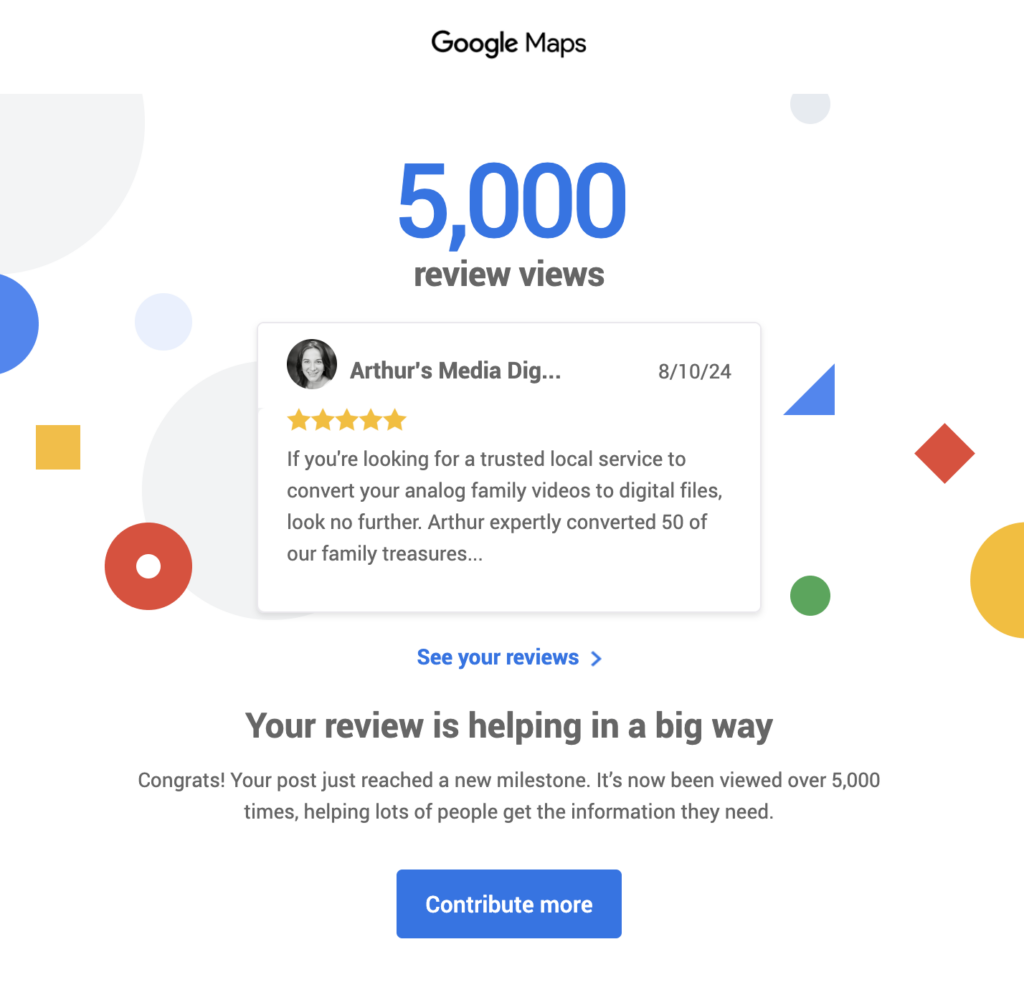
Photo reviews stand out on Google Maps and search listings because visual content captures immediate attention. Images serve as authentic visual proof of your product or service quality. Because Google frequently highlights customer photos in search results, photo reviews often generate thousands of extra views and impressions compared to text alone.
Yes, business owners can generate a direct link or QR code from their Google Business Profile to collect reviews quickly. Placing QR codes on receipts, business cards, or follow-up materials makes it effortless for customers to scan and leave a review on the spot.
Tracking your review request links using parameters like UTM codes allows you to see which campaigns produce the best results. You can track whether customers leave reviews via email follow-ups, printed receipt QR codes, or SMS text messages. Understanding which channel works best helps you optimize your reputation management strategy over time.
Happy Search Engine Optimizing!
Want to Drive More Local Traffic to Your Business?
Need help optimizing your local online presence, collecting customer reviews, or ranking higher on search engines? Barkhurst Creative offers expert SEO consulting services tailored to help your business get found by the right clients. Whether you want to streamline your local Google profile or build an integrated search strategy that drives real growth, our team is ready to help you succeed.


