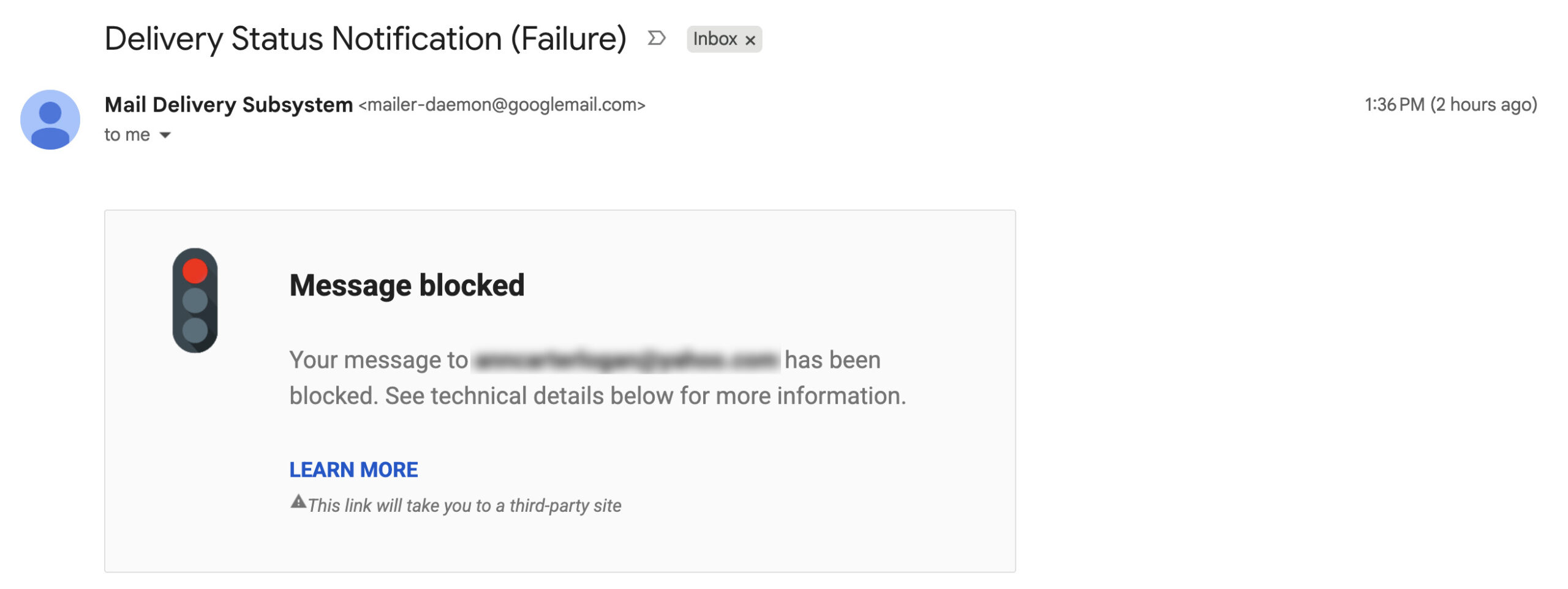
As designers expanding into full-stack development, we spend most of our time focused on visual polish, user flows, and database architecture. But every once in a while, a project hands you an unglamorous, low-level infrastructure bug that can completely paralyze a site’s operations: Email Deliverability.
In a recent project, critical outreach emails sent to Yahoo addresses suddenly started bouncing back immediately. The inbox was getting slammed with this cold, intimidating error:
550 5.7.9 This mail has been blocked because the sender is unauthenticated.
Yahoo requires this sender to authenticate with DKIM. SPF alone is not sufficient.
At first glance, it looks like a domain is flagged or completely broken. In reality, it’s a classic case of incomplete email authentication…and a great opportunity to understand how DNS infrastructure handles trust on the modern web.
Here’s what was actually happening behind the scenes, why Google Workspace’s admin UI makes this tricky, and how to get domain deliverability back to 100%.
What Was Breaking (The “Holy Trinity” of Email Auth)
Think of domain authentication like a security check for your messages:
- SPF (Sender Policy Framework): The guest list. It’s a DNS text record that says, “These specific IP addresses (like Google Workspace) are allowed to send mail for my domain.”
- DKIM (DomainKeys Identified Mail): The wax seal. It attaches a cryptographic signature to every outgoing email header. The recipient’s server checks your DNS for the matching public key to verify the message wasn’t forged or tampered with.
- DMARC (Domain-based Message Authentication): The security policy. It tells receiving servers like Yahoo or Gmail what to do if an email fails SPF or DKIM checks.
In this project, SPF was configured, but DKIM was missing. Major inbox providers strictly enforce these check, so Yahoo took one look at the missing signature and rejected the emails on the spot.
Where the Setup Went Wrong: The Google Admin UI Trap
If you feel like this DKIM issue came out of nowhere, you’re not imagining it. Email providers like Yahoo and Google updated their sender guidelines to aggressively combat spam and domain impersonation. If your domain isn’t fully authenticated with DKIM, your emails won’t just go to Spam anymore—they will get outright rejected.
When jumping into the dashboard to set up DKIM, it became clear why so many people get stuck here. Google Workspace’s Admin UI has a few sneaky UX flaws:
- The Double-Domain Trap: Google Admin instructs you to create a TXT record with the Host Name
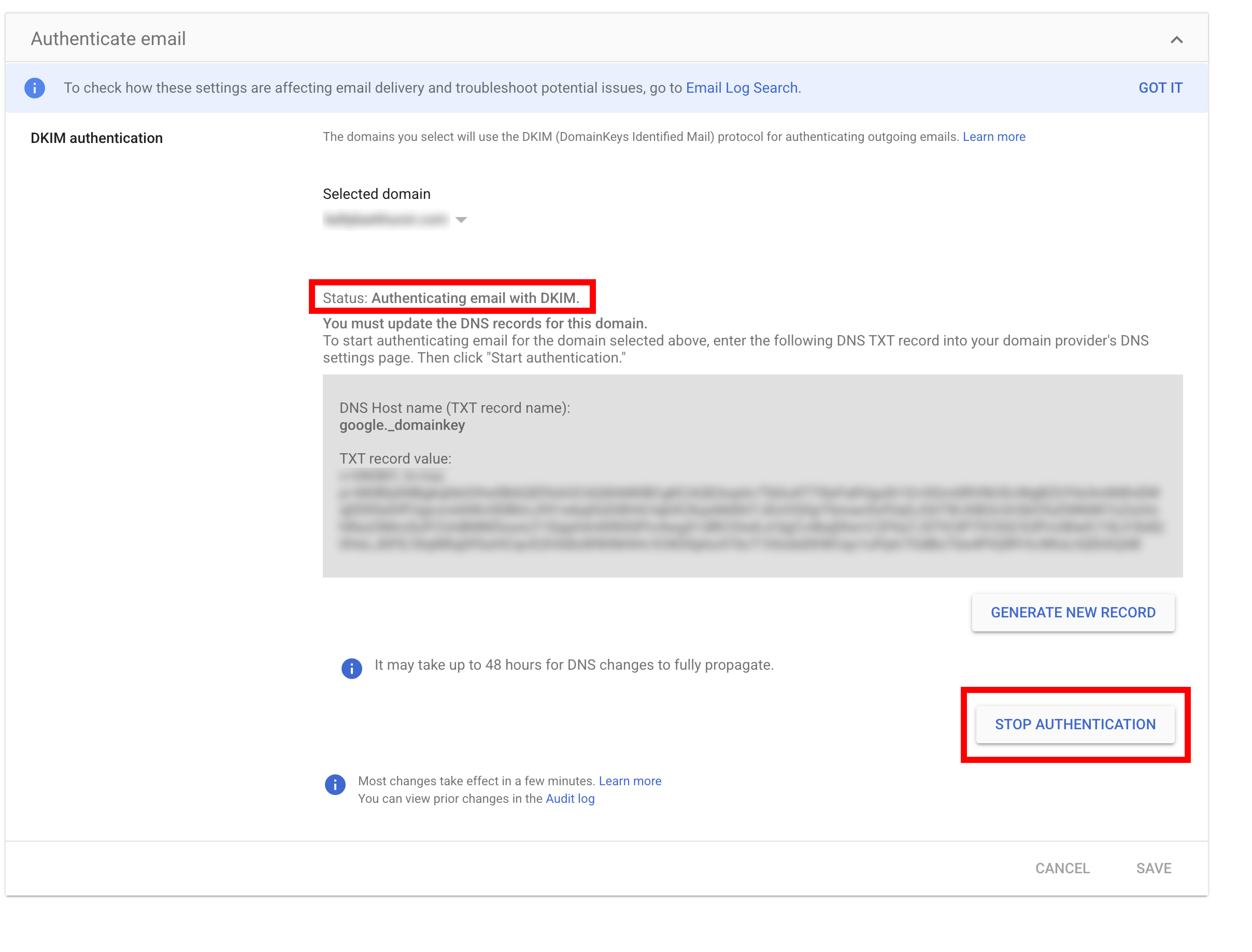
google._domainkey. If you accidentally pastegoogle._domainkey.yourdomain.cominto your DNS (such as Cloudflare or GoDaddy), the DNS provider automatically appends the domain name again. This createsgoogle._domainkey.yourdomain.com.yourdomain.com—a record that email servers can never read! - Misleading UI States: Even after adding the correct TXT record to DNS, Google Admin’s UI doesn’t update dynamically. It often continues displaying a warning box reading “You must update the DNS records…”, confusing users into thinking the setup failed—even when authentication is actively running.
The Fix: Setting Up DKIM & DMARC in your DNS manager
Here is the exact step-by-step process used to resolve the issue:
1. Cleaning Up Duplicate DNS Records
If a domain was previously tinkered with, you might find duplicate or malformed google._domainkey entries in Cloudflare. Deleting all existing broken DKIM rows ensures a clean slate.
2. Configuring the Essential DNS Records
Make sure your DNS table has these three clean TXT records – Note your content may vary, but here are examples.
- SPF (TXT):
- Name:
@ - Content:
v=spf1 include:_spf.google.com ~all
- Name:
- DKIM (TXT):
- Name:
google._domainkey(Strictly without appending the domain) - Content: (The long
v=DKIM1; k=rsa; p=...key generated inside Google Admin)
- Name:
- DMARC (TXT):
- Name:
_dmarc - Content:
v=DMARC1; p=none; rua=mailto:dmarc-reports@yourdomain.com
- Name:
3. Activating Signing in Google Admin
With the DNS records live on your DNS, navigate to Google Admin > Apps > Google Workspace > Gmail > Authenticate email, select the domain, and click Start Authentication.
Once the button toggles to “STOP AUTHENTICATION” and the status reads “Authenticating email with DKIM,” Google begins digitally signing all outgoing messages.
Note: The indicator to show success is in light gray and small text. A better UI design would show a green check mark or green Success message. In addition, the button Stop Authentication feels misleading. It seems confusing like the system is still trying to validate and you’re stopping that validation process to reset it; it doesn’t feel like clicking stop here actually stops your configured and working DKIM from continuing to work.
Verifying the Solution
Instead of waiting and hoping direct test emails work, run a verification check using Mail-Tester.com.
Send a test email from the Google Workspace account to Mail-Tester’s temporary address. A 10/10 score confirms that SPF, DKIM, and DMARC are passing across all global mail servers.
Gotchas
⏰ DNS Caching Delays: Some DNS providers, like Cloudflare, update in seconds, but Google Admin’s UI can take 15–30 minutes (and up to 24–48 hours) to verify the DNS record globally.
📋 Copy-Paste Whitespace: Accidental trailing spaces when copying the long 2048-bit string from Google Admin into Cloudflare will invalidate the key.
🔄 Multiple SPF Records: Remind readers that having two separate SPF TXT records breaks SPF entirely. They must be merged into a single v=spf1 ... string.
The Takeaway for Full-Stack Designers
As designers transitioning to full-stack development, our job isn’t just making things look good or writing clean application code; it’s ensuring the entire ecosystem around the product works seamlessly.
When you know how to debug DNS and email authentication protocols, you can step in, solve high-impact infrastructure bugs, and deliver complete end-to-end reliability!
🚀 Looking for Google Workspace Setup or Email Help?
If you haven’t made the switch to a custom business domain yet, grab a custom email address with Google Workspace (referral link).
Save 10% on Google Workspace Business Starter: QA3CCQXA3HJJNP6 or Google Workspace Business Standard: DA7LJVMGREJV9VE.
Struggling with SPF, DKIM, or DMARC DNS records? If your business emails are hitting spam folders or landing in promotions tabs, your domain authentication is likely misconfigured. Reach out to Kelly for an email diagnostic audit & setup!
Frequently Asked Questions
If you receive an automatic email that reads, “Delivery Status Notification (Failure)”, you definitely do not want to ignore it. It means your email domain name is not trusted, and you need to take action to ensure people receive your emails.
Read the fine details. A common error is that you do not have DKIM correctly configured for your email address. If you’re using Google for your email, you can set this up fairly painlessly through Google Admin.