

Designing in Wix Studio offers creative freedom, but sometimes the most frustrating hurdles aren’t the big layouts…they’re the tiny details. Whether it’s a link that shifts unexpectedly on hover, a “ghost” box around your menu icons, or the struggle of trying to brand a standard social bar, those small friction points can slow down your workflow.
In this post, I’m breaking down a few quick fixes to help you polish your UI, master your breakpoints, and take full control of your site’s interactive elements.
For Web Designers and Developers
Links with Hover Animations
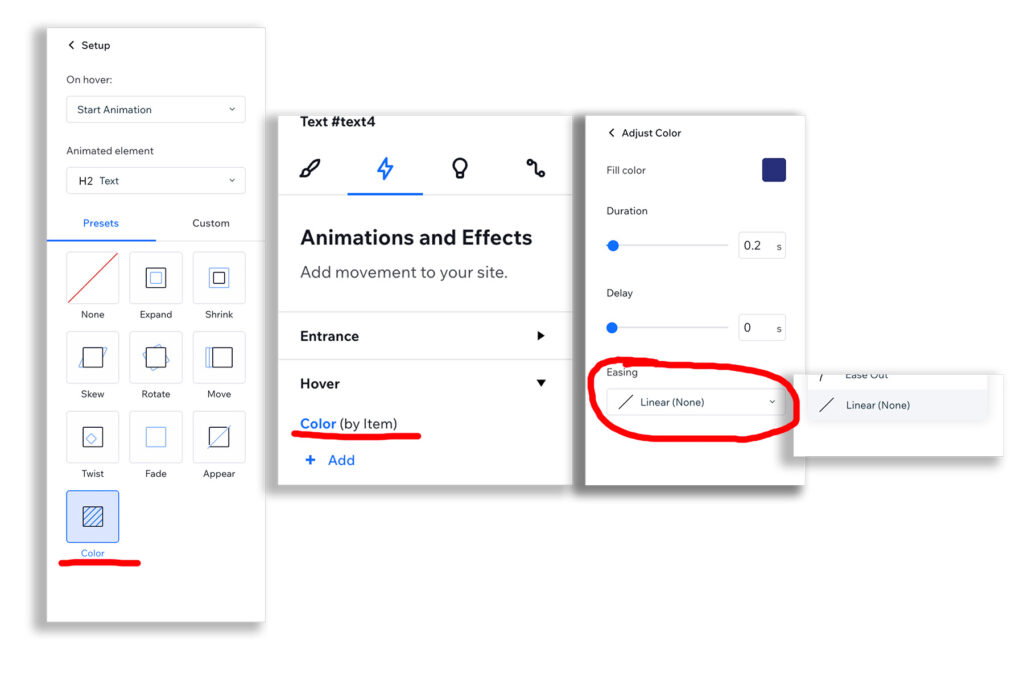
Sometimes you may choose to use the Animation Tab and change the color of a link. By default, easing is In and Out, which makes the text link move. If you’re looking for a simple color change on hover, select Easing > Linear (None).
Customize Header or Section Breakpoint Sizes
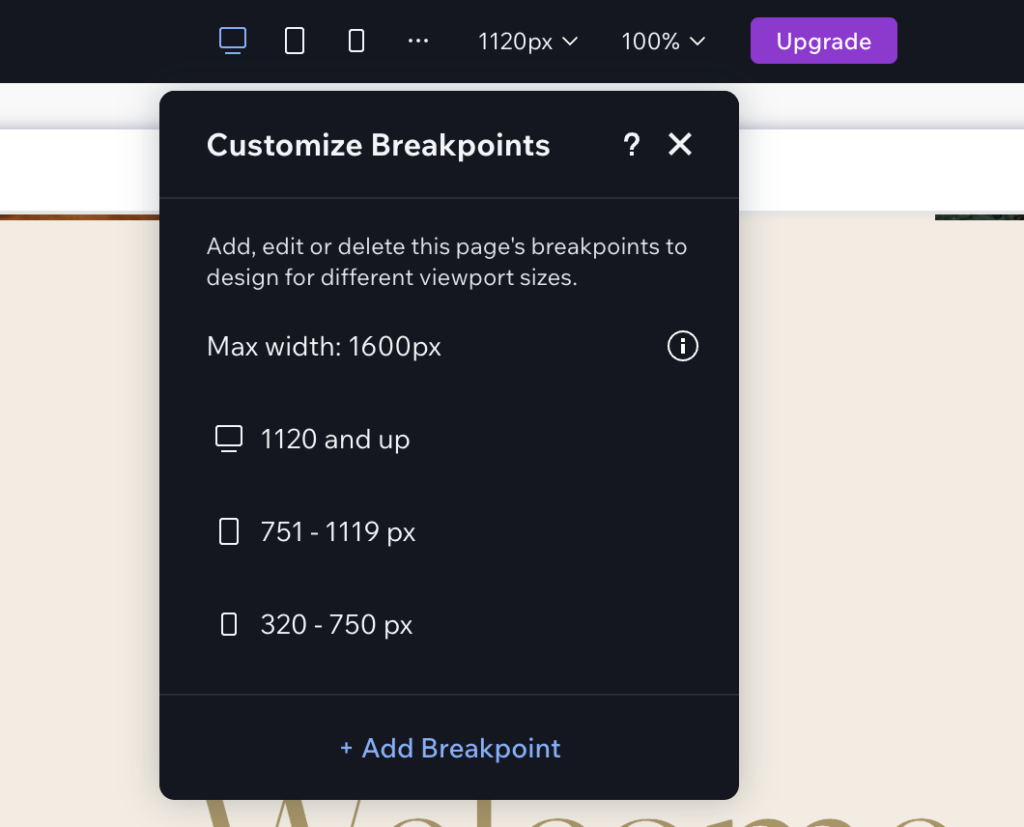
Based on your design, you may need to change the default breakpoints for Desktop, Tablet, and Mobile. Wix Studio allows you to adjust these breakpoints based on Section, allowing you to adjust, for example, just the breakpoints in your shared header. I recommend the Knowledge Base Wix Studio page for background.
You can also change the default breakpoints (media queries) for desktop, tablet, and mobile per site. Click the horizontal ellipse (three dots) and then hover over the size range on tablet or mobile to get the edit dialog box.
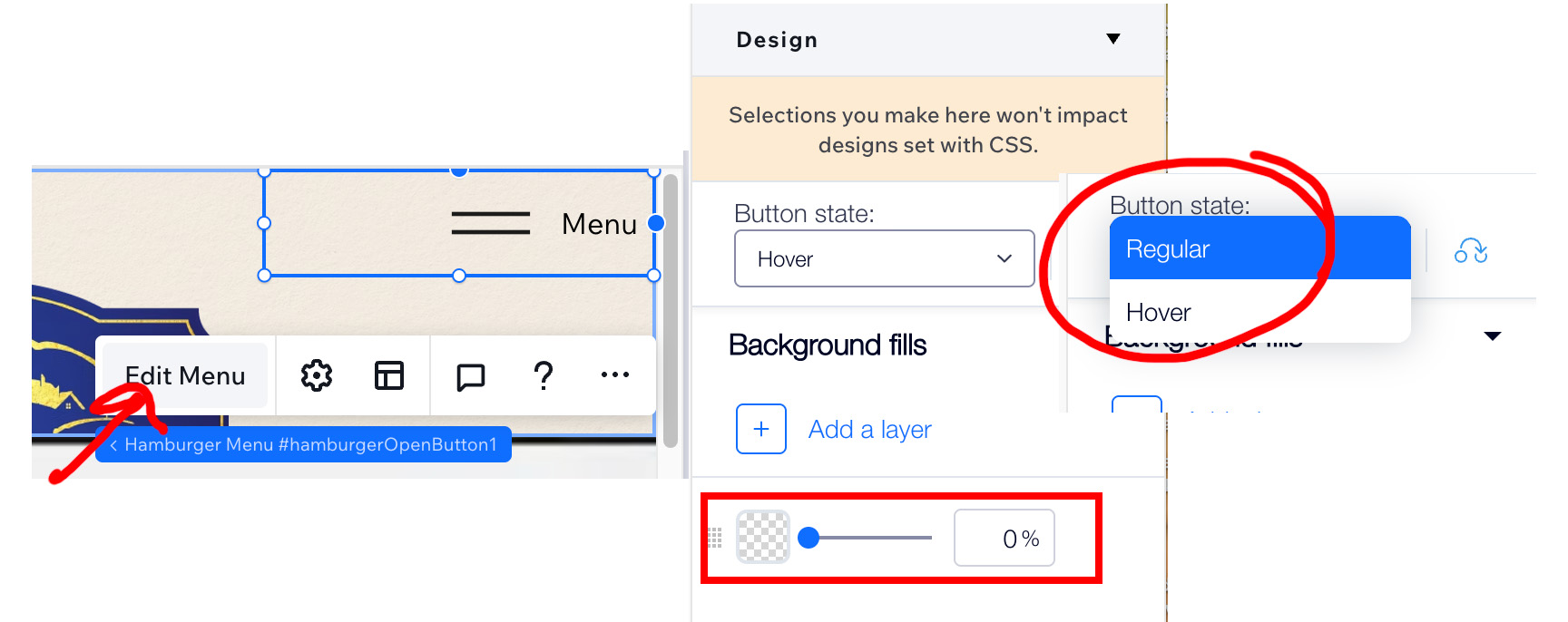
Fix that my Close Icon in my Hamburger menu has a white background / white box around it.
The close icon is considered a button, so there is a dropdown for the button state. Access this by editing your menu and then selecting the close icon. Choose the Button state Hover and set the background to 0% (Transparent).
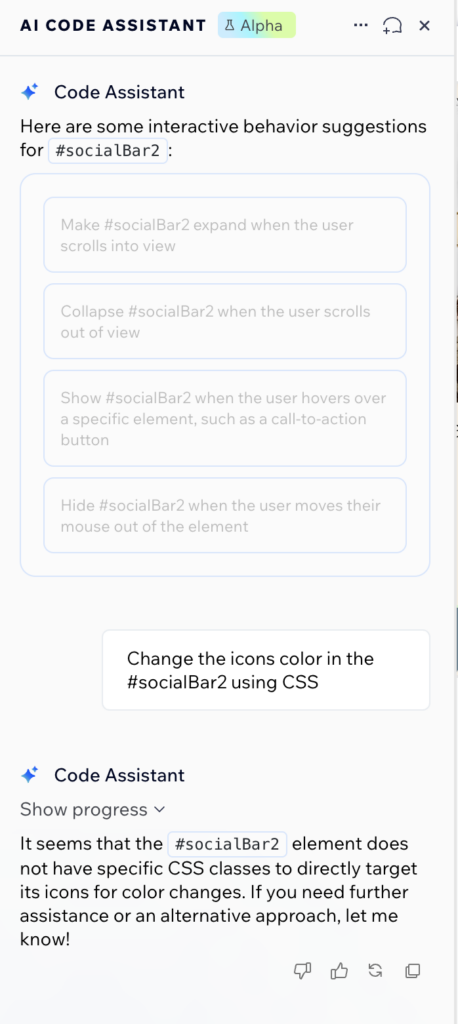
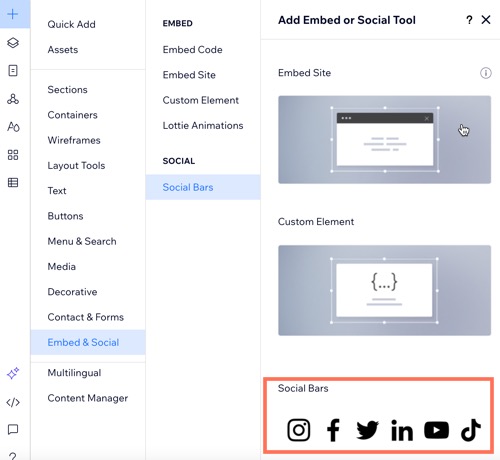
Social Bar Element uses Images (not shapes) so there are limited color choices
If you’re looking to change your social bar icon colors in Wix Studio, and the options are too limited, go custom. By defau,lt the social bar widget uses images (which means you cannot adjust the colors), but you can use SVG images as Shapes and then chang the colors. I have a full tutorial and video you can follow along with.
Your Values for Filtering Data in the Wix Studio Editor are Case Sensitive
If you run into an issue where you’re filtering data by Title or Tag in the Editor and your value appears as (0), it might be because your search query is case-sensitive. Interestingly, within the CMS, the Filter and Sort components provide a dropdown for selecting Tags. Still, in the Editor, you have to manually type in the tag, and you do need to be aware of capitalization.
Master More Wix Studio Workflows
If you found these tips helpful, check out these other guides to level up your Wix Studio builds:
How to Recolor Text, SVGs & Divider Lines with Custom CSS
Tired of manually changing every element color? Learn how to use a single CSS class to recolor text, SVGs, and dividers all at once using your site’s theme variables.
Fixing Heading Structure: SEO & Accessibility Deep Dive
Don’t sacrifice your SEO for design. Learn how to change your HTML heading tags (H1–H4) in Wix Studio without losing your visual styling or breaking your layout.
First Impressions: Using Wix Studio as a Graphic Designer
Transitioning from traditional design to Wix Studio? Here is my honest take on the platform’s learning curve and the features that make it a game-changer for full-stack designers.
The Full Wix Studio Category Archive
Browse the complete collection of Wix Studio tips, from mega menus to advanced CSS overrides.


