

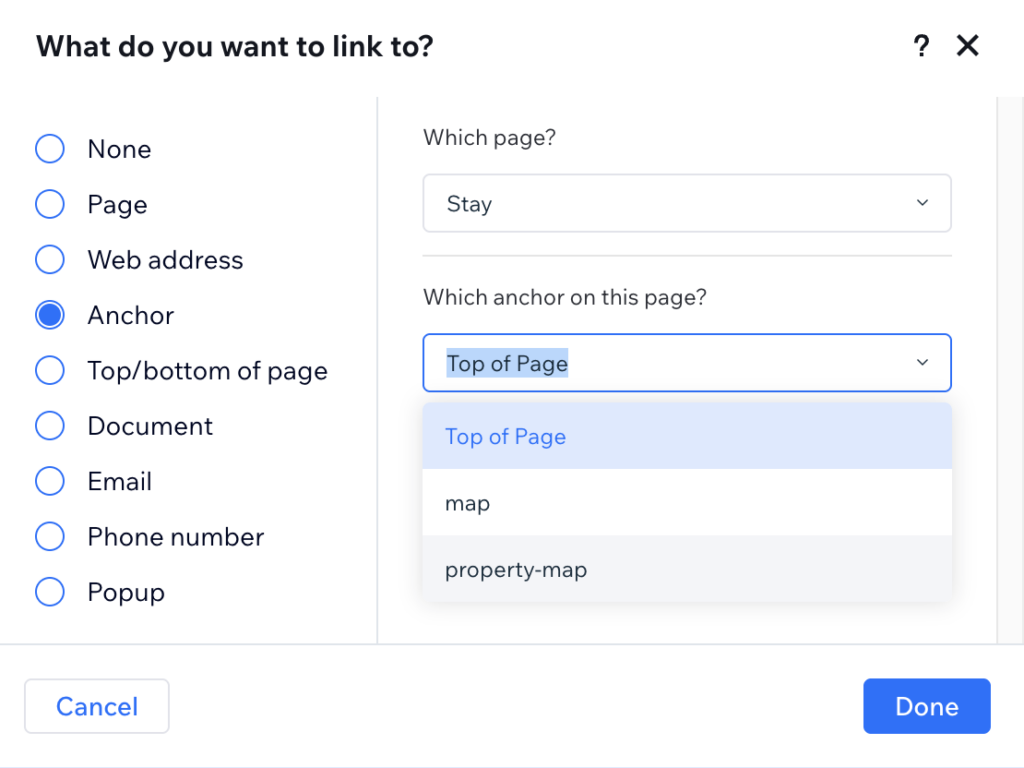
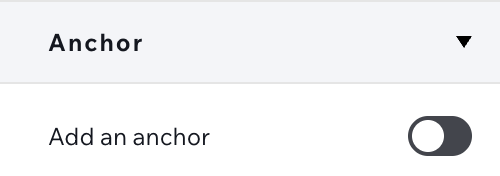
I’ve been there. You’re in the Wix Studio editor, you select a section, go to the Inspector panel on the right, and under “Layout,” you toggle on Anchor and give it a name like property-map.
You link your footer to it, hit “Preview,” and it works beautifully. You feel like a pro. But then you try to send that link to a client—your-site.com/stay#property-map—and the page loads… at the very top.
No scroll. No jump. Just a cold, static header.
In the world of Designer to Fullstack, this is what we call a Proprietary Wall. Wix has given you a tool that mimics a standard web feature but lives entirely inside its own closed loop.
Here’s why it’s breaking and how we built a “Velo Bridge” to fix it.
The Trap: Internal Data vs. External Fragments
Standard web development relies on URL Fragments. When a browser sees a # at the end of a URL, it natively looks for an element with that ID and jumps to it.
Wix Studio handles this differently:
- The Internal Logic: When you toggle that Anchor in the Inspector, you aren’t creating a standard HTML hashtag. You are creating an internal reference.
- The Silent URL: Click that link inside your site, and notice the address bar: the URL doesn’t change. Wix is using a private JavaScript “data call” to slide the page down without ever telling the browser.
- The External Failure: Because the URL remains “clean,” the browser has no idea you wanted to be at the bottom of the page. If you manually add a hashtag to the URL, Wix’s internal logic simply ignores it.
For most sites, this is a dealbreaker. You need to be able to link people directly to a Map or a Special Offer from an email or a social post. Anchors should be linkable from everywhere!
The ID Mangling Problem: Why IDs are Unreliable
This is where the “Fullstack” reality hits. You might think, “Fine, I’ll just give the section an ID in the editor and link to that.”
The Reality: Wix Studio is built on a complex React-based engine. During the “Render” process when your design is turned into live HTML, Wix strips the simple IDs you wrote (like property-map) and replaces them with long, generated strings of gibberish (like comp-mky9rgym_r_comp-mkn9it).
If your code is looking for #property-map, it will fail because that ID no longer exists in the final code.
The Solution: Use CSS Classes. Unlike IDs, the CSS Classes you add in the Styles panel are preserved. They remain as literal unchanged text in the rendered HTML, making them the only reliable “handle” you can grab with code to trigger a scroll.
Once you add the desired hashtag as a Custom Class to your section and add the following Velo code to your masterPage.js your anchor will work in the Browser Bar too.

The Solution: The “Anchor Bridge”
To fix this, we have to force Wix to listen to the browser’s address bar. We need a script that lives in your Global Code (masterPage.js) that performs three specific jobs:
1. The Manual Parse
Wix’s official .hash API is notoriously slow. Often, the code fires before Wix has even “noticed” there’s a hashtag in the URL. We bypass this by manually splitting the wixLocationFrontend.url string to grab the hashtag ourselves.
2. The Polling (Retry) Logic
Wix Studio is a “heavy” engine. Sections shift as images, maps, and third-party widgets load. If we scroll the millisecond the page loads, we’ll land in the wrong spot because the page height is still changing. Our script “polls” the URL for a few seconds until it finds what it’s looking for.
3. The “Double-Jump”
This is the pro-tip. We scroll twice. Once at 400ms to get the user moving, and again at 1.5 seconds to “lock in” the position once the layout has finished shifting.
The Code
Paste this into your masterPage.js. This script is universal. Once it’s in, any section you give a “CSS Class” to will automatically become a deep-linkable anchor.
import wixLocationFrontend from 'wix-location-frontend';
import wixWindowFrontend from 'wix-window-frontend';

$w.onReady(function () {
    // 1. Guard against SSR: Only run in the actual browser
    if (wixWindowFrontend.rendering.env === 'browser') {

        // Start looking for the hashtag in the URL string
        initiateHashDetection();

        // 2. Listen for internal changes (if user clicks a link while already on the page)
        wixLocationFrontend.onChange(() => {
            handleUniversalScroll();
        });
    }
});

/**
 * Robust Detection: Some browsers take a moment to register the hashtag.
 * We manually parse the URL string to ensure we catch the #fragment.
 */
function initiateHashDetection(attempts = 0) {
    const fullUrl = wixLocationFrontend.url;
    let currentHash = wixLocationFrontend.hash;

    // Fallback: If Wix API is slow, split the string manually
    if (!currentHash && fullUrl.includes('#')) {
        currentHash = fullUrl.split('#')[1];
    }

    if (currentHash && currentHash !== "") {
        handleUniversalScroll(currentHash);
    } else if (attempts < 10) {
        // Retry every 300ms for up to 3 seconds
        setTimeout(() => initiateHashDetection(attempts + 1), 300);
    }
}

async function handleUniversalScroll(passedHash) {
    let targetName = (passedHash || "").replace('#', '');

    if (targetName) {
        // Try to find the element by Class OR by Velo ID
        const $byClass = $w(`.${targetName}`);
        const $byId = $w(`#${targetName}`);

        // Select whichever one Velo finds first
        let $target = $byClass.rendered ? $byClass : ($byId.rendered ? $byId : null);

        if ($target) {
            // THE STABILIZED SCROLL SEQUENCE
            // 1st Jump: Immediate movement to get the user to the area
            setTimeout(() => { $target.scrollTo(); }, 400);

            // 2nd Jump: Final stabilization after images/maps load
            setTimeout(() => {
                $target.scrollTo();
            }, 1500);
        }
    }
}
Summary for Designers
Wix Studio is a powerful tool, but it often prioritizes “in-editor” ease over “open-web” standards. By building this Anchor Bridge, you’re ensuring that your design isn’t just a pretty interface—it’s a functional part of the web.
Key Takeaway: If you want to link to a section from outside your site, don’t trust the built-in toggle alone (it only works for internal menus and hyperlinks). Give your section a unique class, use the script above, and let the URL do the heavy lifting.


