

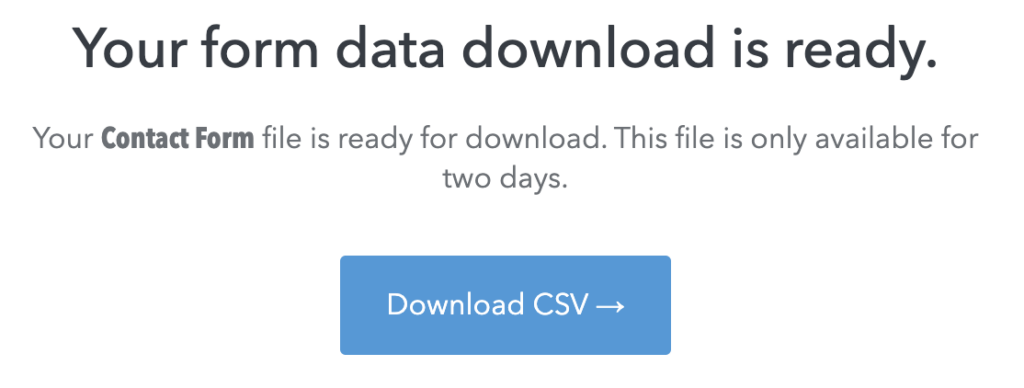
We’ve all been there: You click “Download” on a CSV file link, expecting a neat spreadsheet, and instead, your browser (likely Safari!) opens a scary-looking page filled with a wall of text, commas, and gibberish.
If this happened to you today, don’t panic. You aren’t looking at a broken website; you’re looking at raw data.
What is a CSV, anyway?
CSV stands for Comma Separated Values. Think of it as the “universal language” of data. While sites like MailChimp or Webflow store your contact form submissions in a database (organized into rows and columns), the CSV is just a text-based version of that database.
The problem? Your web browser (Chrome or Safari) knows how to display text, but it isn’t a spreadsheet application. It’s trying to be helpful by showing you the data, but it’s not “rendering” it into the nice grid you’re used to.
Step 1: Getting the CSV File Out of the Browser
If your browser keeps opening the data in a new tab instead of downloading it, you have two easy fixes:
- The “Right-Click” Trick: Instead of just clicking the “Download CSV” button in your email, Right-Click (or Command-Click on a Mac) and select “Save Link As…” This forces your computer to download the file rather than opening it in a tab.
- The “Save As” Save: If you’re already staring at the wall of text in a new tab, go to File > Save Page As. Make sure to SAVE AS a csv file.
💡 Pro Tip: Some sites, like a Webflow form CSV download, provide files names that look like a never-ending string of random numbers. When the “Save” box pops up, triple-click that long name to highlight it all, delete it, and rename it something like client_leads_2024.csv.
Crucial: Always make sure the name ends in
.csvso your computer knows what type of file it is!
Step 2: Opening CSVs the Right Way
Once the file is on your computer, you need to use an app designed for rows and columns.
- For Mac Users (Numbers): By default, your Mac will likely open this in Numbers.
- For Excel Fans: If you prefer Excel, you can change your default setting. Right-click your saved CSV file, select Get Info, look for the “Open with:” section, choose Microsoft Excel, and click “Change All.”
- For Google Sheets: You can’t “open” a CSV directly in a browser tab to get the grid look, but you can upload it. Open a new Google Sheet, go to File > Import, and upload your CSV.
You Aren’t Alone: The Decade-Old Safari Quirk
If you feel like you’re fighting your browser just to get a simple file, you aren’t crazy. People have been posting in Apple forums for nearly a decade about Safari’s insistence on “showing” you data instead of “giving” it to you.
As a full-stack designer, it’s helpful to know why this happens: Safari is designed to be a fast “viewer.” It sees a CSV as a text file and thinks, “I can show you that!” instead of letting a more capable app like Excel take over.
Why “Option-Click” often fails
You might see old advice telling you to Option-Click a link to force a download. In many modern scenarios, Option-Click doesn’t work. Why? Because the “Download” button isn’t just a link to a file sitting on a shelf; it’s a command that tells the server to “Build this file for me right now.” Safari sees that command and opens a new tab to show you the result.
The Fix for 2026: If you’re stuck in that “Tab of Doom” filled with text:
- Save As by right clicking or Command + S
- The Secret Step: When the “Save As” box appears, check the Format dropdown. If it says “Web Archive,” the file will be useless to Excel. Change it to “Page Source”. If you don’t see that, just ensure you manually type
.csvat the very end of the filename.
The Full-Stack Mindset: Why Data Literacy Matters
Why This Matters for Content Owners
Understanding how technology works—even at the “file extension” level—empowers business owners. When a client understands that a CSV is just a universal database format, they lose the “fear” of the technology.
Why This Matters for Designers and Developers
As designers moving toward a Full-Stack mindset, our job doesn’t end when the “Submit” button looks pretty. A true full-stack professional bridges the gap between the beautiful interface and the functional data behind it.
When we help a client navigate a CSV, we aren’t just tech support; we are teaching Data Literacy.
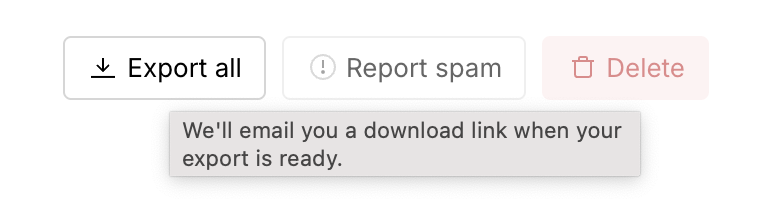
By teaching your clients how to handle their data, you’re doing more than fixing a download issue; you’re making their data actionable. A full-stack designer ensures that the journey from a user’s keyboard to a client’s spreadsheet is seamless, readable, and—most importantly—useful.
Full-Stack Sidebar: As a developer, you can try to prevent this for your users by adding the download attribute to your HTML <a> tags (e.g., <a href="file.csv" download>). However, Safari often ignores this attribute if the file is coming from a different domain or a secure script—which is exactly why this decade-old bug persists!
Troubleshooting Downloading and Opening a CSV in Safari FAQs
Safari tries to be helpful by showing you the content of the file. Use Command + S to save that text as a .csv file to your desktop.
Yes! When saving, triple-click the name to highlight the whole string and rename it. Just don’t forget to keep .csv at the end.
Chrome often handles CSV downloads more “automatically” than Safari. If you or your client is consistently frustrated, suggesting Chrome for administrative tasks is a great practical tip.
It’s tricky. While there isn’t a simple checkbox in Safari settings, technical users can modify how macOS handles “safe” file types
Why is this on designertofullstack.com?
Part of moving from “Designer” to “Fullstack” is moving from just “How does it look?” to “How does it look and How does the data flow?” When you understand that Safari is treating a data stream as a web page, you can troubleshoot the issue for your clients with confidence. You aren’t just giving them a workaround; you’re explaining the architecture of the web.


